

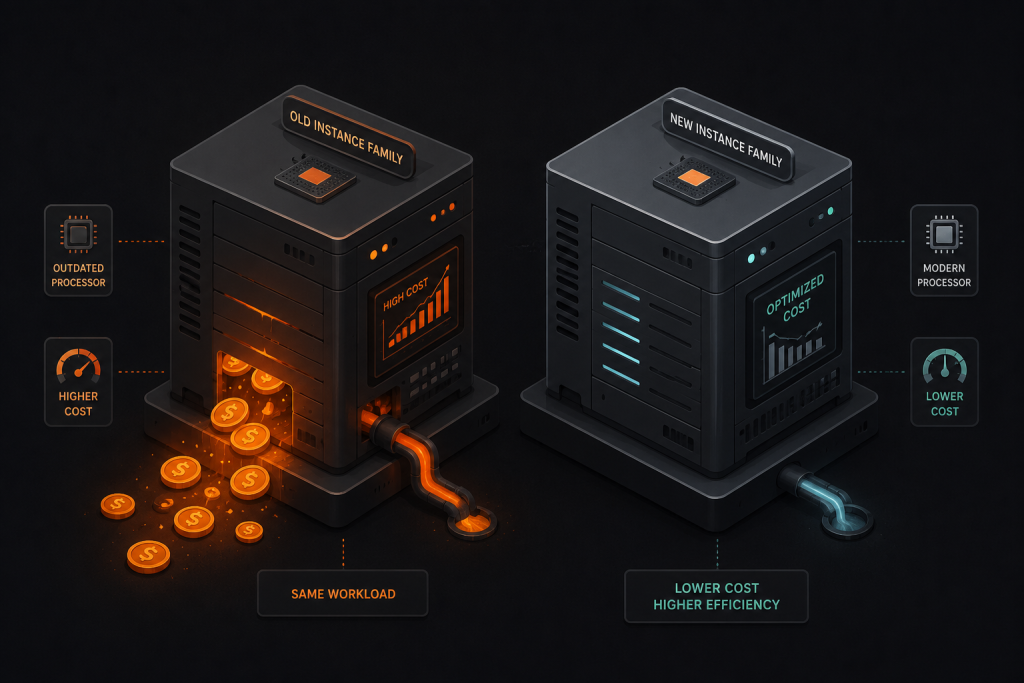
Teams examine utilization metrics, make sizing decisions accordingly, and leave one of the largest sources of waste completely untouched: the processor generation their instances are running on.
It’s not that teams are being careless. The tooling was simply never built to see it.
The Generation Gap Nobody Is Measuring
Three generations of hardware sit between the m5 and the m8i, and the gap in practical capability is not trivial. The table below shows what that progression looks like in terms of silicon, on-demand pricing, and annualized cost for a single xlarge instance:
| Generation | Released | Processor | Max Clock | RAM (GiB) | Memory | On-Demand (xlarge) |
Annual Cost (24/7) |
vs m5 |
|---|---|---|---|---|---|---|---|---|
| m5 | 2017 | Intel Skylake / Cascade Lake | 3.1 GHz | 16 | DDR4 | $0.192 | $1,682 | Baseline |
| m6i | 2021 | Intel Ice Lake (3rd Gen Xeon) | 3.5 GHz | 16 | DDR4 | $0.192 | $1,682 | +$0 / yr |
| m7i | 2023 | Intel Sapphire Rapids (4th Gen Xeon) | 3.9 GHz | 16 | DDR5 | $0.202 | $1,770 | +$88 / yr |
| m8i | 2025 | Intel Xeon 6 (Granite Rapids, custom AWS) | 3.9 GHz (all-core) | 16 | DDR5 7200 MT/s | $0.212 | $1,856 | +$174 / yr |
On-demand pricing sourced from the AWS EC2 On-Demand Pricing page (us-east-1, Linux, xlarge size, April 2026). Annual cost assumes 24/7 uptime.
Here’s what that progression actually costs you: moving from an m5 to an m8i runs just $174 more per instance per year at full on-demand rates, less than 50 cents a day. In exchange, you get hardware released eight years later, DDR5 memory running at 2.5 times the bandwidth of DDR4, and a processor that AWS’s own benchmarking confirms is up to 30% faster for PostgreSQL workloads and up to 60% faster for NGINX web traffic versus the previous Intel generation.
Critically, all four families maintain the same 4:1 memory-to-vCPU ratio at the xlarge size, so migration does not require re-architecting around memory. The m5-to-m8i delta is considerably wider still. A vCPU on an m8i is not the same resource as a vCPU on an m5, and treating them as equivalent in any cost analysis is a category error with real dollar consequences.
For any environment running a meaningful number of instances, generation-aware consolidation can often offset or entirely absorb the small per-instance premium. A fleet that replaces ten m5.xlarges with eight m8i.xlarges handling the same throughput comes out ahead on both cost and headroom.
Why These Numbers Are Bigger Than They Look: The Hardware Stack
The per-generation price delta understates the actual performance gap because it ignores the cumulative improvements in the underlying hardware stack that accompany each new silicon generation. Three of these are worth examining in detail.
Memory architecture: DDR5 at 7200 MT/s. The m8i ships with DDR5 running at 7200 MT/s, a memory spec that delivers roughly 2.5 times the bandwidth of DDR4 found in m5 and m6i instances. For workloads where the bottleneck is getting data to the processor (databases, in-memory caches, analytics) this isn’t an incremental improvement. Memory bandwidth is frequently the binding constraint in those workloads, and DDR5’s dual-channel architecture on a single DIMM improves parallel access right when many CPU cores are competing for memory at once.
Processor microarchitecture: Intel Xeon 6 Granite Rapids. Each generation of Intel Xeon has delivered meaningful improvements in instructions per clock (IPC) even when raw clock speeds look similar on paper. The m7i’s Sapphire Rapids brought 15% better price performance than the m6i; the m8i’s Granite Rapids adds another 15% on top of that, compounding gains that utilization-only tooling can’t observe. Independent benchmark testing has found that real-world Python workloads run on m7i instances can perform at nearly twice the speed of equivalent m5 instances, for a cost premium of only a few percent. Applied across a large fleet, that gap isn’t theoretical.
The AWS Nitro System: sixth generation on the m8i. Every generation of Nitro has progressively offloaded networking, storage, and security functions to dedicated hardware away from the CPU your workload actually runs on. The m8i’s sixth-generation Nitro system continues this progression: more compute and memory resources are effectively returned to the instance, and the new Instance Bandwidth Configuration (IBC) feature allows flexible allocation between network and EBS bandwidth, which can meaningfully improve database read and write performance along with logging speeds. Performance engineer Brendan Gregg of Netflix has described Nitro’s virtualization overhead as somewhere between 0.1% and 1.5% for typical workloads, effectively bare metal. That’s a ceiling older instance families, running on earlier Nitro versions, sit above.
Where Standard Rightsizing Gets It Wrong
Most rightsizing approaches, whether from native cloud tools or third-party platforms, operate on a utilization-first model. The logic runs like this: if an instance is averaging 12% CPU, flag it as oversized and recommend a smaller instance in the same family. That’s the FinOps Foundation’s own State of FinOps data finding: workload optimization and waste reduction are the top priorities for FinOps practitioners, and yet the tools in use address the symptom rather than the structural cause.
Consider an m5.2xlarge running a web application at 25% average CPU. A utilization-only tool will recommend downsizing to an m5.xlarge, or leave it alone. It will not surface the possibility that the same workload, moved to an m8i.xlarge, might run at 30% to 40% CPU with equivalent or better response times, at a comparable on-demand price, with significantly more headroom for traffic spikes. The processor generation dimension is invisible to utilization-only analysis.
This blind spot compounds across large fleets. In the environments we analyze, it is common to find that the majority of EC2 instances are running average CPU utilization well below 20% over any given 30-day window. Median utilization figures often run considerably lower still.
Seen through a pure utilization lens, that headroom looks like waste. Seen through a generation-aware lens, it frequently means the instance family is underperforming relative to what modern hardware can deliver at the same price point, and the workload needs fewer vCPUs on newer silicon rather than a different size on aging silicon.
The FinOps Foundation’s 2025 State of FinOps report found that FinOps teams are now managing an average of 12 distinct capabilities simultaneously. Workload optimization has ranked as the top priority for five consecutive years, yet the waste rate across the industry hasn’t materially declined. That gap between stated priority and actual outcome points directly at the tools being used, and at what those tools are structurally unable to see. Generation-aware analysis is exactly the kind of insight that tooling needs to surface automatically. It isn’t something a practitioner can audit manually at scale.
The Price-Performance Arbitrage
AWS has historically held pricing relatively flat across general-purpose generations. The m6i launched at the same on-demand price as the m5. The m8i carries a small premium, but the price-performance improvement is disproportionate to it. This creates a meaningful arbitrage opportunity that almost no organization is systematically capturing: the ability to rightsize across generations rather than just within a generation.
The practical impact depends on the workload. The table below maps workload types to the specific gains available on the m8i generation:
| Workload Type | Key Bottleneck | Primary Gain (m5 → m8i) | What Changes |
|---|---|---|---|
| PostgreSQL / MySQL | Memory bandwidth | Up to 30% faster | DDR5 7200 MT/s reduces buffer fetch latency; all-core turbo sustains peak throughput under concurrent queries. |
| NGINX / Web Tier | Packet processing & CPU cycles | Up to 60% faster | Higher IPC from Granite Rapids + hardware-offloaded networking via 6th-gen Nitro means the CPU spends fewer cycles on I/O. |
| CPU-based ML / Inference | Matrix operations | Up to 40% faster | Enhanced AMX (Advanced Matrix Extensions) with FP16 support accelerates deep learning recommendation models without GPU provisioning. |
| In-memory caching (Redis/Memcached) | Memory throughput | Significant | 2.5× higher memory bandwidth directly translates to faster cache hit rates and lower p99 latency at scale. |
| Batch / general compute | Single-thread speed | Moderate (15–20%) | Improved IPC generation-over-generation; gains are real but less dramatic than memory-intensive workloads. |
Performance figures based on AWS published benchmarks for M8i vs M7i comparisons. Gains from m5 baseline will be larger.
The key is matching a generation’s specific architectural strengths to the workload profile rather than applying a blanket family migration. A fleet of PostgreSQL primaries benefits from a different calculus than a fleet of batch workers, even if the recommended action, upgrading the generation, is the same.
The GO-EUC independent benchmark study found that the pricing differential between generations is consistently smaller than the performance differential. The m7i was approximately 3% more expensive than the m6i while delivering 15% better price performance. The m8i continues this pattern. AWS is effectively subsidizing the upgrade with hardware economics.
The Fleet Drift Problem: How Instance Families Age
Instance families do not age uniformly across a cloud environment. They accumulate in layers that reflect the history of the organization.
The pattern we see consistently: the original production workloads that predate a mature DevOps practice are the most likely to still be running on m5 or m6i instances. These are often the largest, most stable, most business-critical workloads, the ones nobody wants to touch because they’re working. The irony is that these are also the workloads that would benefit most from a generation upgrade, because they’re large enough to make the economics meaningful and stable enough to make the migration low-risk.
- Infrastructure deployed before 2022 often predates the m6i and m7i families entirely, meaning the organization has never evaluated these workloads for generation migration.
- Reserved Instance and Savings Plan commitments create a soft lock-in: teams commit to a family to secure discounts, then continue running that family even after the commitment period expires because the path to migration is unclear.
- Utilization dashboards that show 15%–25% average CPU are treated as signals of stability rather than as signals of potential generation mismatch.
- The tooling used to make these decisions, most cloud-native cost management tools, was designed around the assumption that vCPU count is the primary variable of interest. Generation is invisible to them.
The result is that technical debt accumulates not in the form of code, but in the form of processor generations. The m5 fleet in a large environment isn’t just a cost problem. It’s a performance ceiling that quietly constrains every workload running on it.
How CloudInvent Identifies This
This is precisely the type of insight that CloudInvent’s 200+ AI-driven algorithms are designed to surface. Our analysis works entirely from cloud metadata, with no access required to instances or workloads, and evaluates instance families across three variables simultaneously: utilization patterns, pricing, and processor generation. It is that combination that allows us to identify not just overprovisioned instances but misaligned instance families.
For a customer environment anchored to m5 instances, the first pass of analysis typically surfaces significant generation migration opportunities that standard rightsizing tools would never produce. These recommendations include sizing guidance that accounts for the per-vCPU performance improvement on newer hardware, so teams are not swapping like-for-like but are actually rightsizing for the processor they are moving to.
Our work with customers across AWS, Azure, and GCP consistently produces 25% to 40% reductions in cloud IT spend, achievable in the first 30 days. Generation-aware instance selection is one of the key levers driving those numbers, particularly in environments that have grown organically and accumulated technical debt in their instance families.
Practical Considerations Before You Migrate
A generation migration is operationally simpler than it’s often treated. Because the m5, m6i, m7i, and m8i families all maintain the same memory-to-vCPU ratio and share the x86_64 instruction set, migrating between them requires a stop, an instance type modification, and a restart. No AMI changes, no OS reconfiguration, no data migration. AWS supports rollback to the previous instance type if needed, though in practice this is rarely required.
A few practical considerations worth examining before proceeding:
- Reserved Instances and Savings Plans: Convertible Reserved Instances can be exchanged for a different instance family. Compute Savings Plans are already instance-family agnostic. Standard Reserved Instances require a marketplace sale or expiry before switching. Mapping your commitment mix to the migration path is the first step.
- Regional availability: The m8i family launched with availability in the major AWS regions. Confirm availability in your specific regions before planning migrations for any environment with regional constraints.
- Workload testing: For stateful workloads like databases, a brief load test on the new generation in a staging environment is good practice. In most cases the result will be a pleasant surprise rather than a regression.
- Nitro System compatibility: All m5, m6i, m7i, and m8i instances run on the Nitro System, so there are no hypervisor compatibility issues to manage in this migration path.
The Takeaway
Cloud costs have many moving parts, but the processor generation your fleet is running on is one of the most consistently overlooked. Three generations of hardware advancement separate the m5 from the m8i. The vCPU count on your instances may look identical on paper, but what each of those vCPUs can actually deliver has changed substantially. Any rightsizing strategy that ignores this is working from an incomplete picture.
If your environment still has meaningful m5 or m6i presence, that is worth examining carefully. The opportunity is there. The tooling to see it is the question.
The most expensive processor in your fleet is not the newest one. It’s the oldest one, running workloads that a newer generation would handle faster, with lower latency, at the same or lower cost. That’s not a theoretical argument. It’s an arithmetic one.
References
- Amazon Web Services. Amazon EC2 M8i Instances.
- Amazon Web Services. New General Purpose EC2 M8i and M8i-flex Instances (August 2025).
- Amazon Web Services. Amazon EC2 M6i Instances.
- Amazon Web Services. Introducing Amazon EC2 M7i-flex and M7i Instances (August 2023).
- Amazon Web Services. AWS Nitro System.
- FinOps Foundation. State of FinOps 2025.
- Gartner. Worldwide Public Cloud End-User Spending to Total $723 Billion in 2025 (November 2024).
- GO-EUC. Which AWS General Purpose Instance Is the Most Performant and Cost Efficient? (2024).
- Kingston Technology. Why DDR5 Memory Is Important for Data Center Performance and Efficiency.
- Amazon Web Services. Amazon EC2 On-Demand Pricing.
- Sookocheff, K. Increased Virtualization Performance with the AWS Nitro System.